People house hunting online decide in a few seconds whether to open a listing. The first thing they see is a photo, and the first thing they notice in a photo is the light: a dark room looks smaller, older and less cared for than it really is. You don’t need expensive gear to photograph a property well. You need the right time of day, a prepared room and a phone used with a bit of method.
Pick the time by which way the rooms face
Before the appointment, check on a map which way the apartment faces. South-facing rooms get direct sun for many hours: at noon the light comes in harsh, draws white rectangles on the floor and leaves the corners dark. Mid-morning or late afternoon works better. North-facing rooms get soft, steady but weaker light, so shoot them in the middle of the day, when the sky gives the most. For east and west, go against your instinct: avoid the moment when the sun comes in low and straight into the lens.
Look at the sky too. An overcast day gives even light indoors, which is great for rooms, but a flat white sky in exterior shots. In that case you can come back for the exteriors another day, or fix the sky afterwards: we cover that in sky, water and privacy.
Open everything, then decide what to switch on
Raise the blinds all the way, open the curtains or gather them at the sides, and clear the windowsills of plants and objects that cast shadows. It sounds obvious, but it is the most common reason for dark photos.
Lamps are less clear-cut. Turning them on fills the corners and makes a room feel welcoming, but warm bulbs next to daylight leave orange casts on walls and ceilings. If all the bulbs in the home are the same type, turn them all on. If they are mixed, turn on only the ones that match, or leave them off and work with the window. Keep your phone’s flash off: it flattens shapes and creates glare on glass, mirrors and shiny floors.
Expose for the room, not the window
The most common technical problem indoors is contrast. Outside, the light is many times stronger than inside, and the phone has to choose: often it blows out the windows, which turn into white rectangles, or it leaves the room in shadow. Three habits help.
- Leave HDR mode on (it is automatic on many phones): it combines several exposures into a single photo.
- Tap a mid-brightness area on the screen, such as a side wall, and lower the exposure slightly if the window loses all detail.
- When you can, shoot with the light coming from the side instead of facing the window: side light shapes furniture and floors better.
A slightly bright window is normal. A completely white window, though, has lost all the information about what is outside, and no retouching can rebuild it faithfully.
Height, straight lines and wide angle
Good light is not enough if the photo is crooked. Hold the phone at chest height, roughly 4 to 5 feet (1.2 to 1.5 meters) off the floor, and perfectly upright. Tilt it down or up and the walls converge, so the room looks like it is falling over. Turn on the camera grid and line up a vertical, such as a door frame or the corner of a wall.
Shoot from the corners: take in two or three walls and the room gains depth. Ultra-wide (0.5x) is useful in bathrooms and narrow hallways, but it distorts the edges and stretches furniture. Use it sparingly, and never to make a room look bigger than it is. A small tripod costs little and lets you use longer exposures without blurry shots.
Before you shoot
- Clean the lens: a single fingerprint is enough to make all the light from a window look milky.
- Turn off TVs and screens, which reflect and distract.
- Clear surfaces and floors: fewer objects means more reflected light and a room that looks more spacious.
- Take several shots of each room from different positions, then choose calmly later.
What retouching can do, and what it can’t
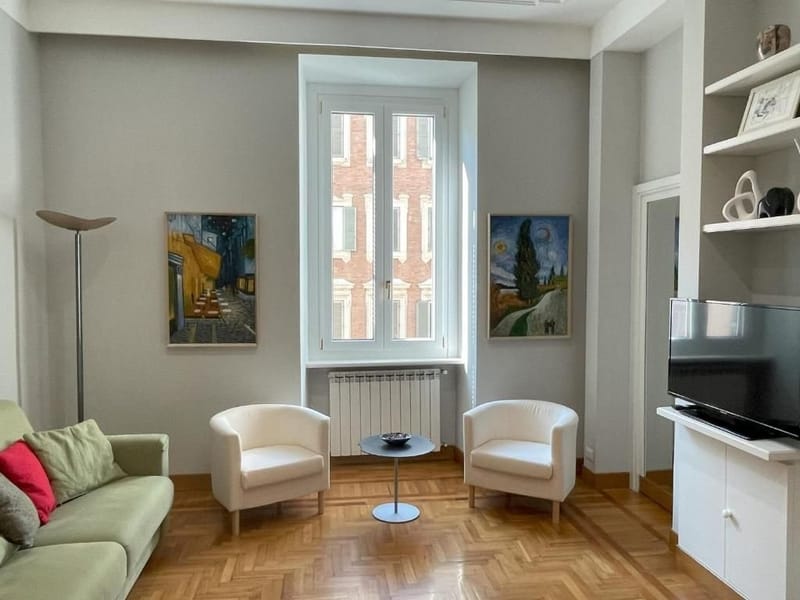
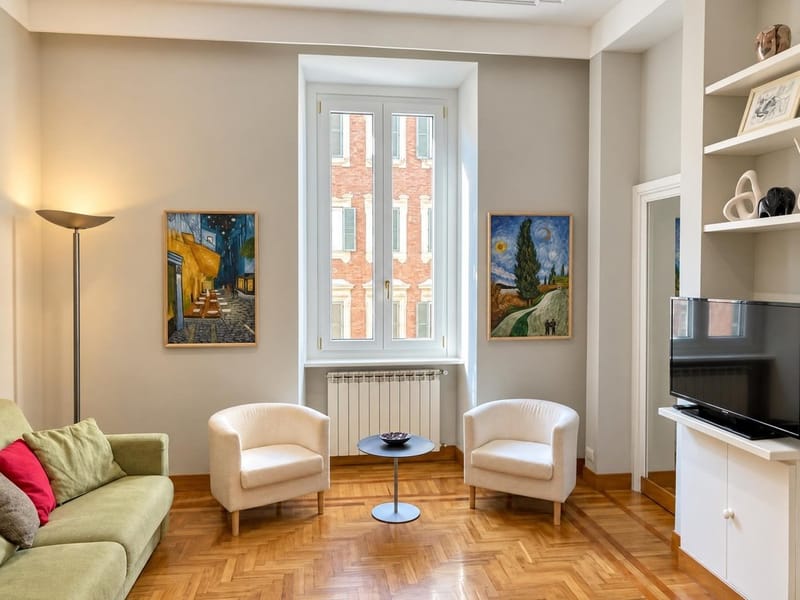
Good retouching recovers a lot: it lifts the shadows, balances the color between lamps and windows and brings the room back to how you saw it in person. In the example above, the room is the same. The amount of light and its warmth change, while the furniture, walls and windows stay where they are.
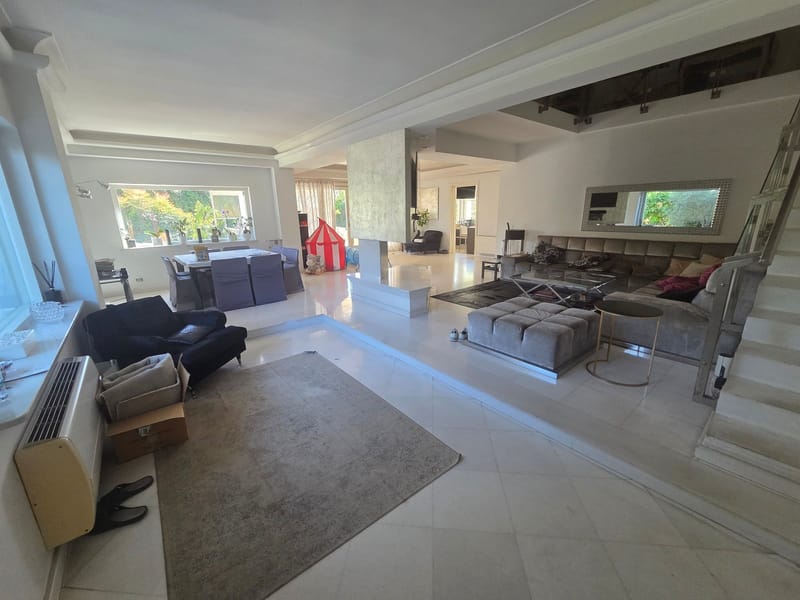
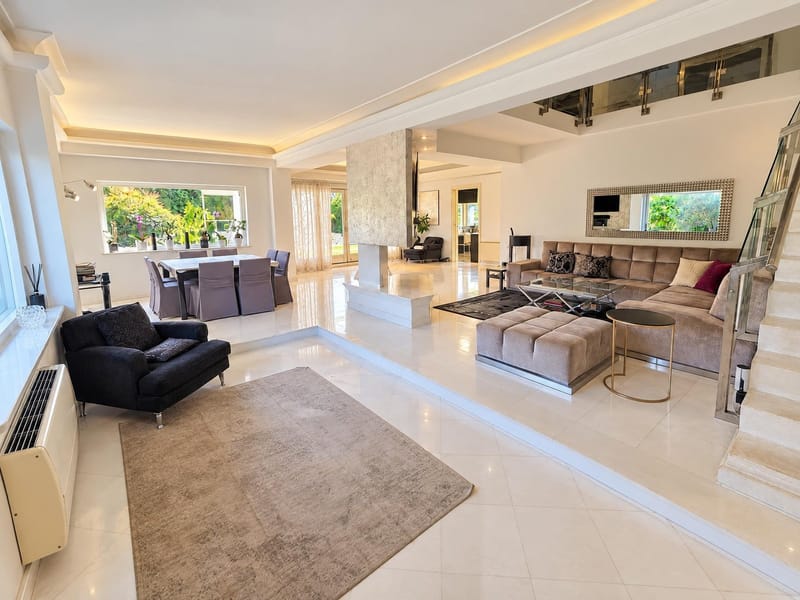
What retouching must not do is invent. A window onto the courtyard does not become a view of the park, and a small room does not become a big one. With Dimorio, every improved version stays linked to the original, which is never overwritten, and carries a note that it was edited with artificial intelligence. That way you can compare before you publish, and the people who come to a viewing find the same home they saw online.
In short
Pick the right time for the way the rooms face, open everything, turn on only lights that match, expose for the room and hold the phone straight. Retouching is there to bring the photo close to what you saw, not beyond it. If you’d like to try it on one of your own photos, here’s how it works: it’s free to try in beta.